- Step 1
Connect the ribbon cable from the ST-Link to the breakout board.
- Step 2
Wire the breakout board to the target board using this pinout:
GND to GNDT_SWCLK to PA14T_SWDIO to PA15T_VCC to EV5 - Step 3
Configure the following jumpers on the Nucleo board:
Set JP2 selection to EV5Remove CN4 jumpers - Step 4
Connect an external power supply to the Nucleo board (I use 5V @ 0.5A):
GND to GND (left-side Arduino header rail)5V to 5V (left-side Arduino header rail)
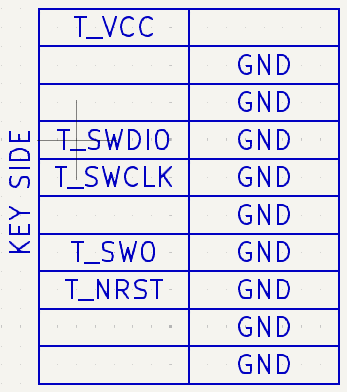
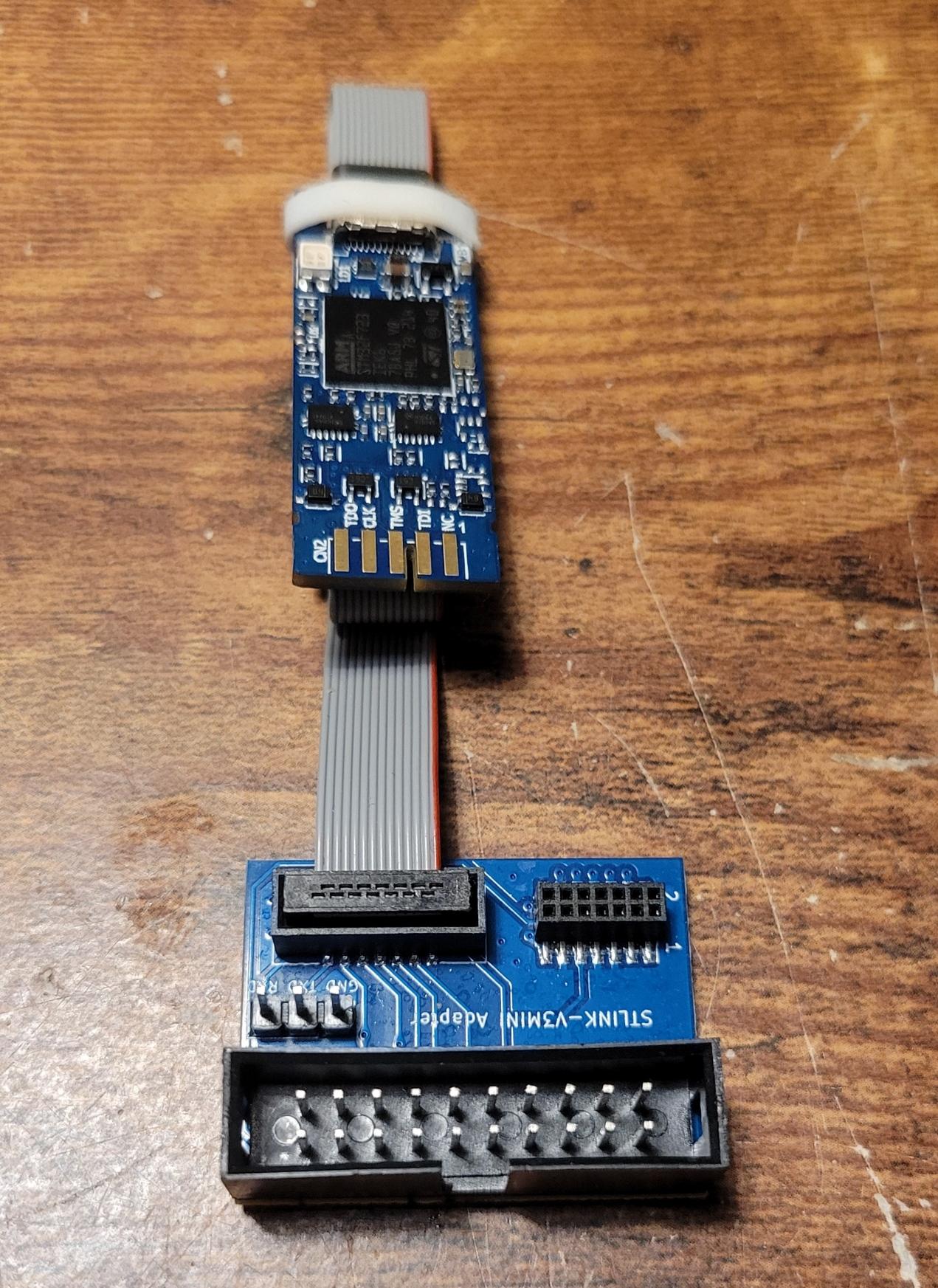
Figure 1: Breakout board pinout (left) and ST-Link with breakout board (right).
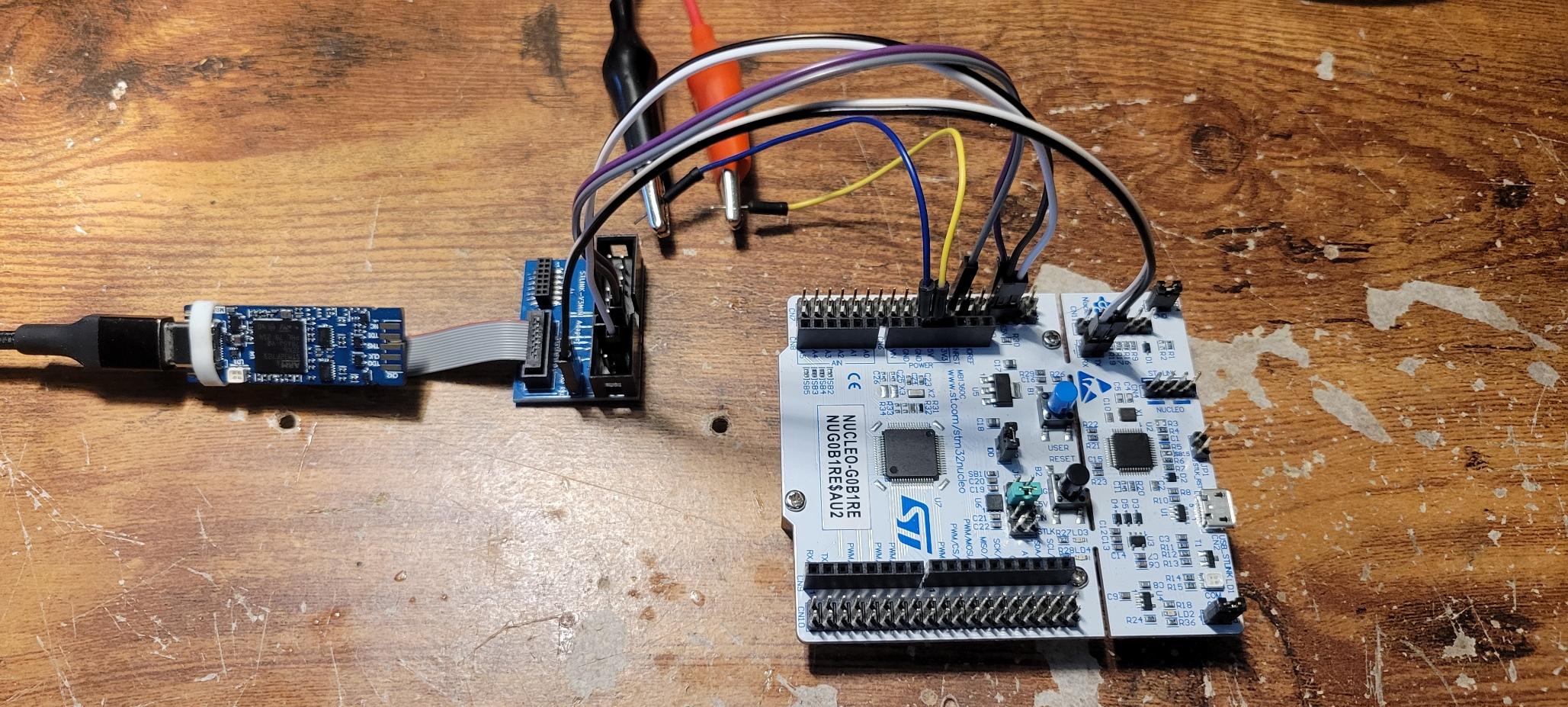
Figure 2: Your connection should roughly resemble what's seen here.
- Step 1
Load up STM32CubeIDE.
- Step 2
Setup the following configurations under Run Configurations > Debugger:
Debug probe to ST-LINK (ST-LINK GDB server)Interface to SWDAccess port to 0 - Cortex-M0plusReset behavior type to Connect under reset
- Step 1
Under
int main(void), setup a sampleHAL_GPIOcomparison script:C - main.c... /* USER CODE BEGIN 2 */ HAL_GPIO_WritePin(LED_PORT, LED_PIN, GPIO_PIN_RESET); HAL_UART_Receive_IT(&huart2, buffer, 5); /* USER CODE END 2 */ ... while (1) { if (HAL_GPIO_ReadPin(BUTTON_PORT, BUTTON_PIN) == GPIO_PIN_RESET) { if (memcmp(buffer, "hello", 5) == 0) { HAL_GPIO_WritePin(LED_PORT, LED_PIN, GPIO_PIN_SET); } else { HAL_GPIO_WritePin(LED_PORT, LED_PIN, GPIO_PIN_RESET); } } } ... - Step 2
Then, initialize the callback outside the main function:
C - main.c/* USER CODE BEGIN 4 */ void HAL_UART_RxCpltCallback(UART_HandleTypeDef *huart) { HAL_UART_Receive_IT(&huart2, buffer, 5); HAL_UART_Transmit(&huart2, buffer, 5, 0xFFFF); } /* USER CODE END 4 */ - Step 3
Run the code, ensuring the target program is the project that contains this code. You can open up a Command Shell Console to interact with the Nucleo directly.