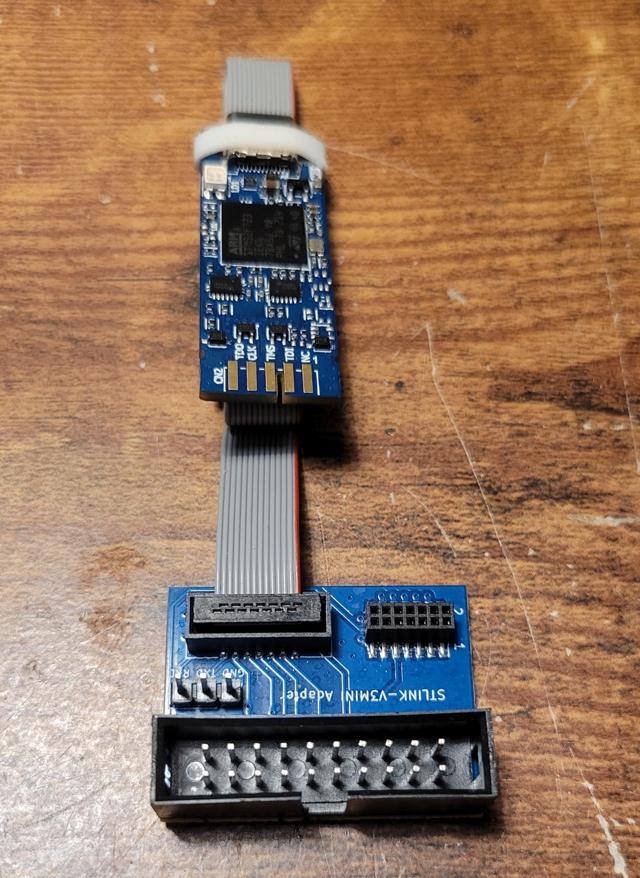
Programming boards with the STLINK-V3MINIE
This guide goes over how to program ST Nucleo boards (the G0B1RE is used here) using the STLINK-V3MINIE.
Reference manuals: UM2324
Steps
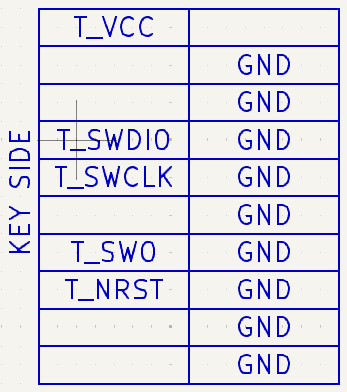
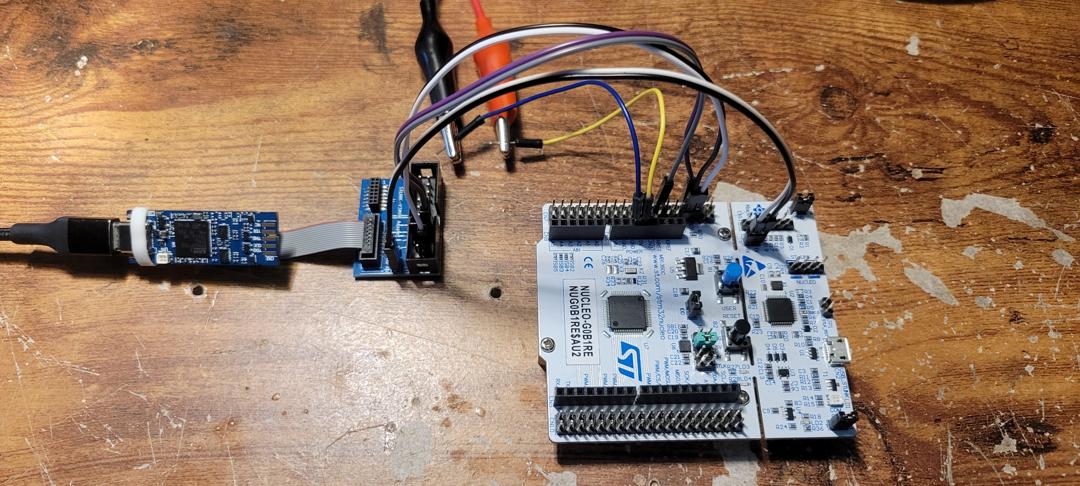
1) Wire the breakout board, using the pinout diagram below, such that the following connections are made: T_VCC to EV5 (marked with silkscreen on the top left of the morpho array), GND to GND (any GND pin on the board), T_SWCLK to PA14, and T_SWDIO to PA15 (both pin positions can be found on page 31 of UM2324). Then, provide some external power source (a 5V 0.5A source is used here) to any 5V rail input (be sure to remove the appropriate jumpers as described in pages 18-23) and remove the jumpers from CN4. Lastly, connect the TX and RX pins from the breakout to the header at JP6.
It should look something like (zoom in to see wire placement):
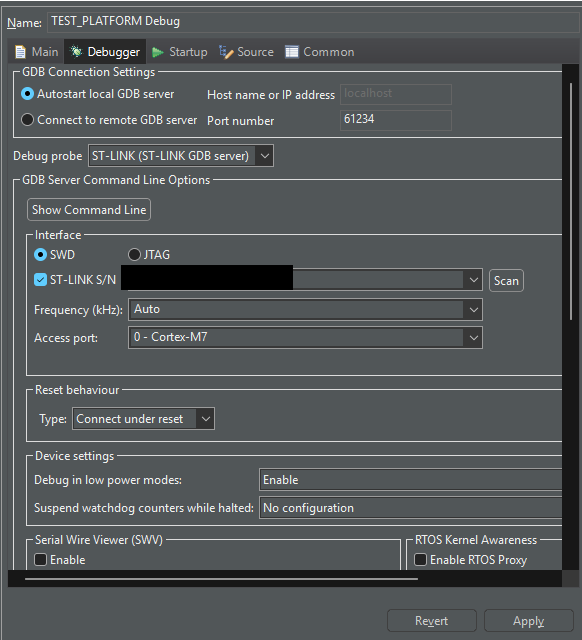
2) Load up CubeIDE and configure the project run configuration (in the dropdown of the run debug button) such that the interface is SWD, the STLINK is selected via the S/N option, and that the reset behavior as connect under reset.
All done!
You can run the following code to check whether serial communications, via UART (and some serial console viewer), works:
C - main.c...
/* USER CODE BEGIN WHILE */
while (1)
{
HAL_UART_Transmit(&huart3, (uint8_t*)"Hello World
", 13, HAL_MAX_DELAY);
HAL_Delay(500);
/* USER CODE END WHILE */
/* USER CODE BEGIN 3 */
}
...Ensure USART3 (or any USARTx so long as you change &huart3 to &huartx) is enabled via CubeMX and that it is initialized for the project.